Omio X6-2200 CNC
Learn more about the Omio X6-2200.
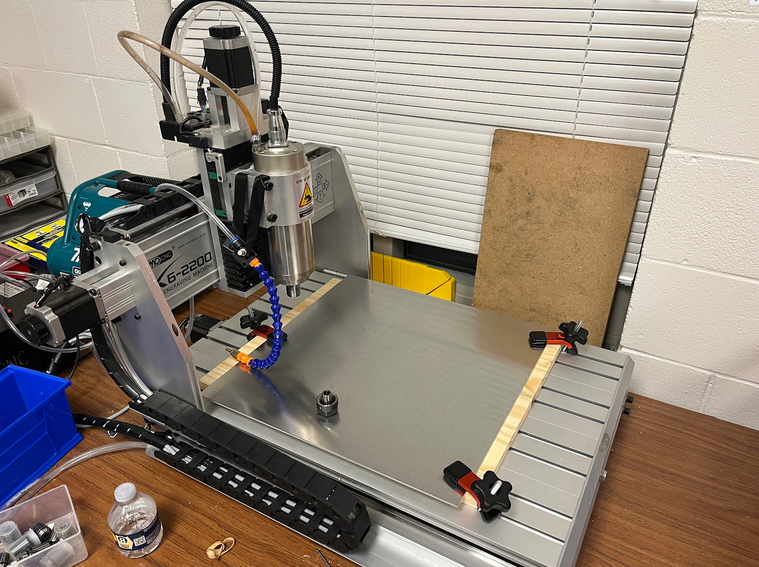
The Omio X6-2200 is a desktop portable CNC that is capable of cutting/drilling/routing wood, metal, and plastics. I started my work on the CNC in January 2024 during the interim. At the time, I figured out how to do simple things like jogging the CNC (moving) and also running simple G-Code that would make patterns on wood. There was still a lot to learn, as I had only touched the surface of operating the CNC.
- Sanjith Sunil '25
CAM
CAM is the equivalent of CAD for CNC. It makes instructions for the CNC to follow while cutting, and also allows you to do many more things, such as making scheduled stops and setting up for bit swapping. A few CAM options are listed below:
| Vendor | Software | Free? |
|---|---|---|
| AutoDesk | Inventor CAM | For Students |
| Dassault Systèmes | Solidworks HSM CAM | For Students |
Inventor CAM
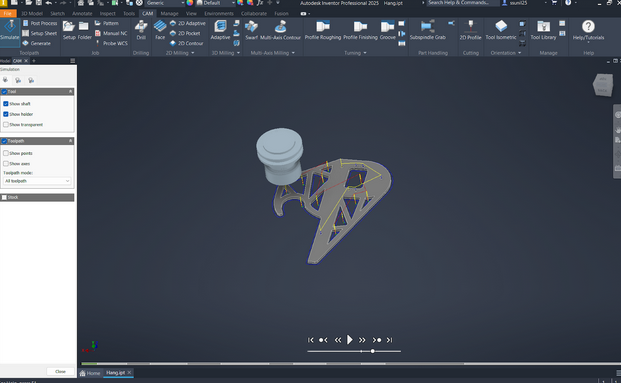
I would recommend using Inventor CAM, as there are fewer problems with using it, and this document will only showcase the use of Inventor, but SolidWorks has a similar workflow compared to Inventor and can also be used.
G-Code
G-Code is what CAM programs such as Inventor and Solidworks generate and has the instructions for the CNC to use. Usually, these programs generate a .tap file, which can be opened in CNC control software such as Mach3.